Portal Dedicated Changelog
6.14.0 Release
Features
-
New Reflect rule type in the Rules Wizard.
-
ARMR 2.13 is now the default.
-
Java 25 is now bundled and is the recommended JVM. See using an alternative Java 25 to configure your own.
-
SQL Injection rule: new option to permit specific databases.
-
SQL injection events now show which parts of the query were tainted. Go to Events > Advanced Search and click the SQL taint analysis button in the Details column of an SQL injection event to see the query with the tainted parts highlighted by source. See SQL taint analysis.


-
Path Traversal rule: new Allow action and an optional list of the files and paths the rule covers (ARMR 2.13+). All payload sources are selected by default.
-
Rules Wizard improvements:
- New rules use the latest ARMR version by default. A different version can be picked with the ARMR compatibility link.
- Message, severity, stack trace and disable security events options are grouped in a new Security events section. Severity is set automatically when none is selected.
- In the FileSystem read/write and Path Traversal wizards, file paths are entered in a text area and listed in a table, where they can be edited or deleted. Paths with spaces, such as
C:\Program Files\App, are accepted. - Clearer field labels, for example Activate the rule on payloads from these sources instead of Do Not Trust Requests From.
-
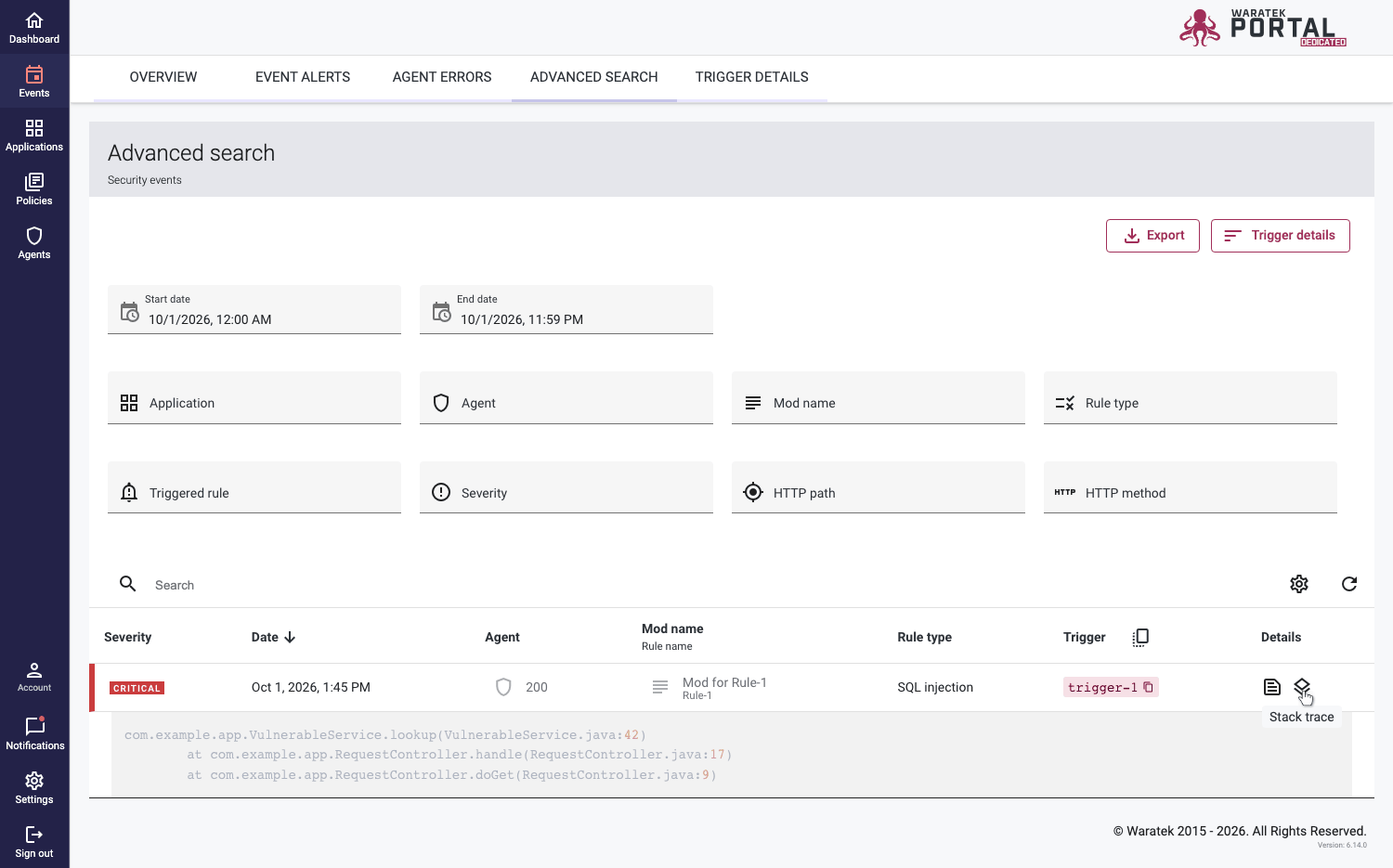
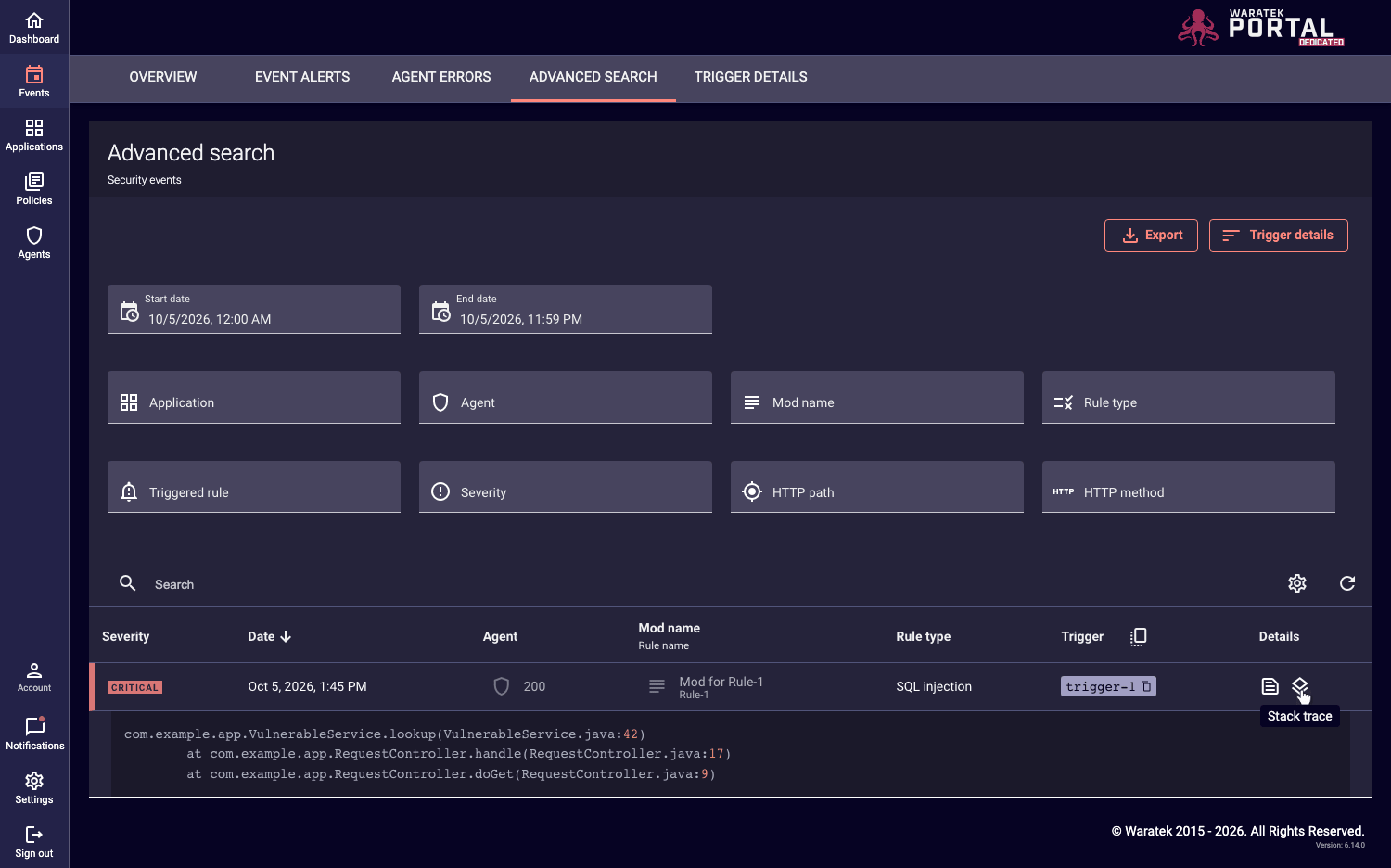
In Events > Advanced Search, the table has a Details column with the Details and Stack Trace buttons.
-
The Portal version is shown in the footer.
-
SAML certificates and private keys can be provided through environment variables instead of files.
-
Faster loading: static resources are cached, fonts are bundled with Portal Dedicated, and the loading splash screen was removed.
-
Added the
Referrer-Policy: strict-originandPermissions-PolicyHTTP headers. A Content Security Policy can be set with theportal.security.content-security-policyproperty. -
Email templates now clearly show the Portal URL.
Upgrade Notes
- When using Oracle or PostgreSQL, run the configuration script with the repair option
-rwhen upgrading to 6.14. - Swagger UI is no longer included in the release build.
Deprecated
- API Discovery is hidden by default.
Bug Fixes and Improvements
- Dependencies updated, including Jackson 3.
- The installation script now creates the
portaluser group on Ubuntu. - Fixed "Remember me" on login not working in some environments.
- Fixed saving mail server settings, and entering an invalid port in the server configuration, returning error 400.
- Fixed duplicating a policy with a long name.
- Fixed the uploading of CVE details from a PDF file in Reports.
- Fixed inconsistent agent status on the Agents page, and the agent state filter sometimes showing blank.
- Fixed sorting by ARMR version in the agent details events table.
- API requests with an unsupported HTTP method now return 405 instead of 500.
- Visual fixes in Portal UI, including validation messages, long names, and dark mode readability.
6.12.0 Release
Features
- Added support for dynamic SAML Group mapping
- Updated encryption script to use
PBEWITHHMACSHA256ANDAES_256algorithm by default, with support for specifying alternative algorithms. The new encrypted property format isENC_<ALGORITHM>(...). The legacyENC(...)format remains supported for backward compatibility. - Environment variables can now be used as the recommended method for providing credentials (database and Elasticsearch), avoiding the need to store secrets in
application.properties. - ARMR 2.12 is now the default. It now uses higher, more pragmatic default values for the XXE rule.
- The Portal installation script
./scripts/configurePortal.shnow includes an optional flag for defining the Portal service name on installation. Run./scripts/configurePortal.sh --helpto learn more. - Postgres 15 to 18 is now supported. Postgres 15 is still the recommended version.
- Introduction of a new path input field in CSRF STP rule wizard. This allows users to specify a path for the CSRF rule, providing more granular control over which endpoints the rule applies to.
- Added sorting for related columns in the table when group by mod is selected.
Bug Fixes and Improvements
- Spring Boot and Angular dependencies updated to the latest major versions.
- Visual fixes in Portal UI.
6.11.1 Release
This release focuses on extending logging options, UI stability fixes and improvements.
Features
-
Tenable Integration improvements with enhanced logging and error handling (MC-5096)
- To enable detailed logging for Tenable report generation, add the following flags to your
application.propertiesfile:
logging.level.portal.domain.integration.tenable.api.TenableApi=DEBUGlogging.level.portal.domain.integration.tenable.TenableService=DEBUGlogging.level.portal.domain.integration.tenable.api.cache.CachingTenableApiService=DEBUGlogging.level.portal.core.spring.http.client.PerformanceLoggingHttpRequestInterceptor=TRACElogging.level.portal.core.spring.http.client.RequestLoggingHttpRequestInterceptor=TRACE- The first two flags can be set to
DEBUGorTRACE, withTRACEproviding more detailed information
- To enable detailed logging for Tenable report generation, add the following flags to your
Bug Fixes and Improvements
- Fix browser back navigation behavior (MC-5065)
- Fix default password change to only apply when not already changed (MC-5091)
- Fix subscription cleanup to prevent memory leaks (MC-5019)
- Fix error message component display (MC-5086)
- Improve DateTimeAgo component performance by removing unnecessary timer (MC-5034)
- Fix setTimeout loop causing performance issues (MC-5108)
- Fix handling of application entities in event processing (MC-5083)
- Fix collapsed layout display issues (MC-5111)
- Handled Exceptions aren't printing stack trace (MC-5110)
- Update Dashboard Icons (MC-5077)
6.11.0 Release
Features
- Update to ARMR 2.11 (MC-5059)
- Angular 18 upgrade / Node.js 22 (MC-4938)
- Add Support for SSL comms with Oracle DB (MC-5063)
- Add Custom ES connection manager to handle uncaught exceptions (MC-4526)
- Change Agent purge task to be a hard delete of Agents (MC-4846)
- Improve UI terminology for "Expiration Date"(MC-4863)
- Events Overview Page: Improve the usability of the Date range filtering (MC-4869)
- Rewrite agent report to be activity report (MC-4872)
- Upgrade flyway to v10 (MC-4884)
- Tenable Integration Improvements (MC-4886)
- Export events with all data (MC-4948)
- Change default Portal Dedicated password (MC-5007)
Bug Fixes
- Fix Dashboard Page|High and low severity labels missing in the security activity section in fire fox browser (MC-4358)
- Fix 'Overview' and 'Credentials' tabs not displayed on Agents page, when page url is loaded directly in address bar (MC-4849)
- Fix Create Agent Credentials Dialog: Problem setting expiration date to today (MC-4856)
- Fix Agent assignment selection looks incorrect when user cancels agent assignment (MC-4865)
- Fix Unable to save HTTP Response Header Addition rule Once after editing the rule by adding new header name and value (MC-4868)
- Fix Sorting by DB column in applications page is not working as expected (MC-4870)
- Fix Unable to see the hostname and report details in the report in dark mode (MC-4916)
6.10.1 Release
Bug Fixes
- Tenable Integration Tool issue fixed on Portal Dedicated 6.10.1 (MC-4888)
6.10.0 Release
Features
- Role Based Access Control extended with Teams and Team Roles (PM-460 / PM-547)
- Team management
- User to Team assignment, with User specific Role per Team
- Display Team and Roles in User Account Settings and User Admin section
- Segregated Team access to Policies, Applications, Agents, and Events
- Option for Organizational Role with no permissions
- Updated dependency
- Java upgraded to version 21
Bug Fixes
- Fix Agent link in Create Rule dialog (MC-4771)
- Fix error displaying events with stack trace after upgrading from 5.5 (MC-4820)
- Fix timing issue generating event alerts (MC-4829)
- Fix Oracle upgrade issue (MC-4839)
Known Issues
- Tenable Integration Tool is broken on Portal Dedicated 6.10.0 (MC-4888)
6.9.0 Release
Features
- ARMR 2.10 (MC-4673)
- Support for CIDR notation in Socket-Connect and Socket-Accept Wizards (MC-4674)
- Updated Dependencies (PM-519 / MC-4752)
- Ubuntu 20.04 -> 22.04
- CentOS 7 -> 9
- RHEL 7 -> 9
- Java upgraded to 17
- Postgres upgraded from 11-13 to 13-15
- SAML (PM-432 / MC-4513)
- Manage SAML Identity Provider (MC-4515)
- SAML SSO (MC-4517)
- Export SP metadata link (MC-4518)
- Dark Theme (PM-506 / MC-4507)
- Theming for material components and Rules Wizard (MC-4508 / MC-4509)
- Dark theme for unauthenticated pages (MC-4510)
- Dark/Light theme switch (MC-4511)
- API Discovery Settings & API Graph (MC-4196 / MC-4304)
- Icon and custom images for theming (MC-4516)
- API Discovery (PM-454 / MC-4139)
- Applications API: API Discovery Toggle (MC-4225), API Table (MC-4186), API Graph (MC-4304)
- Agent API: Display API Card on Agent Details page (MC-4188 / MC-4235 / MC-4384)
- Portal tells Agent if API Discovery is enabled (MC-4203)
- Dashboard API Discovery Summary (MC-4189)
- API Page - graph all discovered API endpoints (MC-4196)
- API Hardening (PM-461 / MC-4169)
- Security Events: Filter by HTTP fields (MC-4194), Filter by Application(s) (MC-4387)
- Agents and Mod Buttons (MC-4398)
- Dashboard API Hardening Summary (MC-4289)
- API Rules (MC-4190)
- Rules Wizard: ARMR 2.9 (MC-4191)
- File Read/Write - API & Untrusted Sources (MC-4337)
- Process Forking - API & Untrusted Sources (MC-4338)
- DNS - API & Untrusted Sources (MC-4339)
- Socket Accept - API (MC-4340)
- SSL & API Invalid (MC-4418)
- Socket Bind - API (MC-4356)
- Socket Connect - API & Untrusted Sources (MC-4357)
- Mark Rule Types as New (MC-4362)
Bug Fixes
- Tables - trigger column widths break on Advanced Search and Trigger Details pages (MC-4308)
- Incorrect Error Message when trying to open the mod of a deleted agent (MC-4328)
- Update text in button on the expired link error page (MC-4431)
6.4.2 Release
Features
- Support for Elasticsearch version 8 (Documented and tested)
Bug Fixes
- Users table is empty after creating a new user with a custom role (MC-4354)
- Trigger Details - Displays null ruleType (MC-4414)
- Incorrect rule type in security events page for socket bind rule (MC-4415)
- Documentation issue with instructions for installing ES-8 with MC-6.4.2 (MC-4562)
- Event Alert Emails are not arriving (MC-4331)
- Incorrectly getting an error message for email field in the create user dialog (MC-4350)
6.4.0 Release
Breaking Changes
- Removed application properties:
elasticsearch.cluster.shards=1elasticsearch.cluster.replicas=1
Features
- Role Based Access Control - Organisation Roles (PM-336 / MC-4042)
- Added permissions framework
- UI & API endpoints protected by permissions
- Added Editor and Viewer roles
- Support for custom roles
- System Settings - SAML
- Change User Provisioning configuration
- Auto-create users on login & populate details via SAML attributes
- Security Events Improvements
- Syntax highlighting for rule trigger and event JSON
- Redesigned advanced search filters
- Buttons to copy rule trigger(s) to clipboard
- Two-factor authentication (PM-431 / MC-4049)
- Webhooks Improvements (MC-4033)
- Added enabled toggle
- Added ability to test a webhook
- Performance Improvements (MC-4098)
- ARMR Upload limited to max. 1000 rules
- Misc Improvements
- Rules Wizard - ARMR version display changes (MC-3843)
- Webhooks - Restrict to HTTPS (MC-3835)
- Rules Wizard - Chips should be editable (PM-383)
- Email alert preferences, unsubscribe (MC-3729 / MC-3669)
- Display rule type in events (PM-390)
- Rebranding (PM-397 / MC-3597)
Bug Fixes
- Rules can get out of sync when multiple users edit the same rule (MC-3131)
- Wildcard character cannot be specified as a prefix for URI paths in rules wizard (MC-4012)
- Login Form - Field Error Prompts (MC-3958)
- Agent Details Page: Application arguments field shows "null" (MC-3786)
- Password reset message did not match other status messages (MC-3751)
- Tenable report missing CVSS score for older vulnerabilities (MC-3790)
- Export - Loading state (MC-3774)
- Events for yesterday displayed today in UTC+1 (MC-3769)
- Delete Agent Popup: User-defined HTML rendered in modal (MC-3702)
- Edit Policy Dialog - disable save when no changes made (MC-3700)